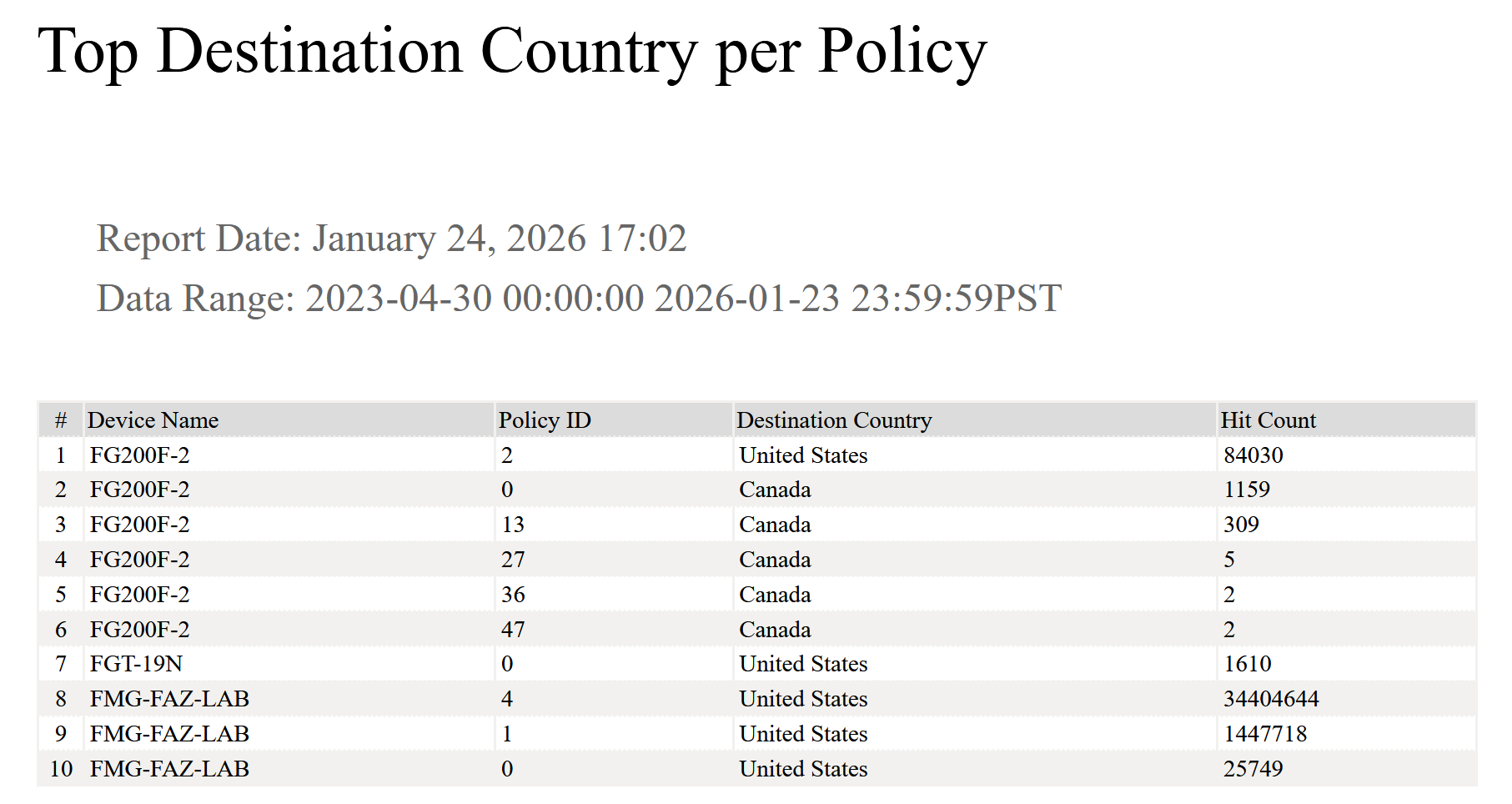
Top Destination Country hit per Policy using FortiAnalyzer

The primary goal is to isolate the top-ranked destination country for each security policy across all managed devices. By filtering out “Reserved” and null geographic data, the report focuses on meaningful external traffic, helping administrators understand the primary path of data for specific policies.

Step 1: Create the Custom Dataset

  • Log in to your FortiAnalyzer.
  • Navigate to Reports > Report Definitions > Datasets.
  • Click Create New.
  • Set the Log Type to Event.
  • Paste the following SQL query:
SELECT
  devname,
  policyid,
  dstcountry,
  SUM(policyhit) AS total_hits
FROM
  (
    SELECT
      devname,
      policyid,
      dstcountry,
      COUNT(*) AS policyhit,
      ROW_NUMBER() OVER (
        PARTITION BY devname,
        policyid
        ORDER BY
          COUNT(*) DESC
      ) AS rank
    FROM
      $log
    WHERE
      $filter
      AND dstcountry IS NOT NULL
      AND dstcountry <> 'Reserved'
    GROUP BY
      devname,
      policyid,
      dstcountry
  ) t
WHERE
  rank = 1
GROUP BY
  devname,
  policyid,
  dstcountry
ORDER BY
  devname ASC,
  total_hits DESC;

Step 2: Build the Chart

Once the dataset is ready, you need to turn it into a visual element:
  • Go to Reports > Report Definitions > Charts.
  • Click Create New.
  • Select the Dataset you created in Step 1.
  • Choose the Table chart type.
  • Add the columns: devname, policyid, dstcountry and policyhit.

Step 3: Generate the Report

Finally, add your chart to a report:

  • Navigate to Reports > Report Definitions > Reports.
  • Create a new report or edit an existing one.
  • Add your new Chart into the report layout.
  • In Report Settings, ensure you select the correct devices and a broad enough time range (e.g., “Last 30 Days” or “Last 90 Days”) to capture historical data.

The Result

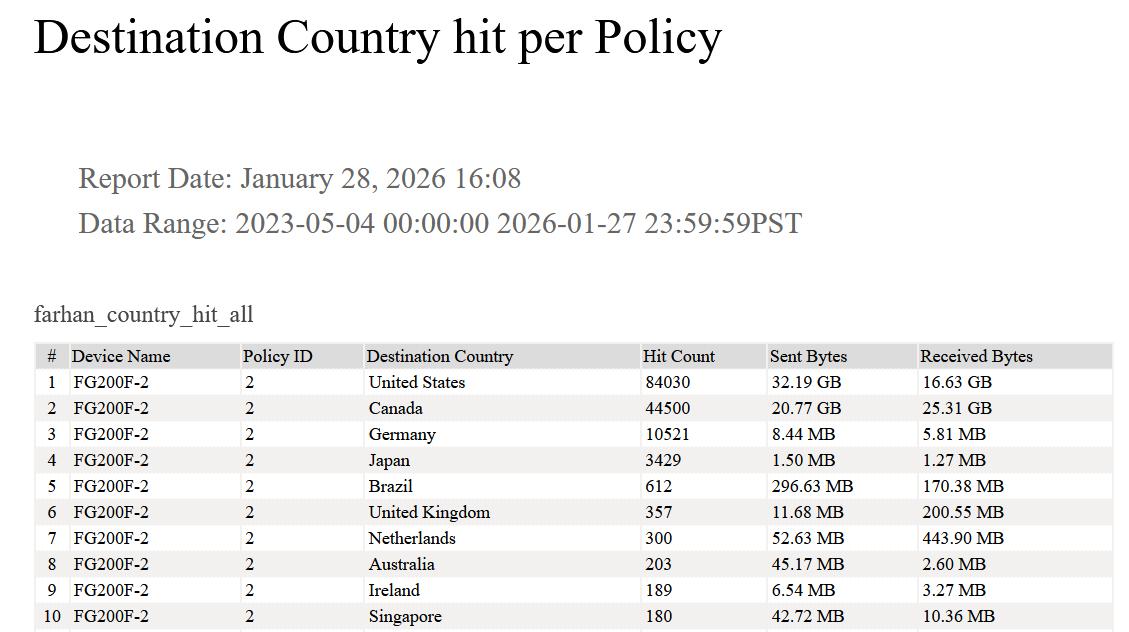
top_dst_hit

Detailed Policy-to-Country Traffic Mapping

This SQL method removes ranking filters to ensure no data is discarded. It provides a 1-to-N mapping: for every single Policy ID, the report identifies every Country it communicated with, alongside the total Sent/Received Bytes.

SELECT
  devname,
  policyid,
  dstcountry,
  COUNT(*) AS policyhit,
  SUM(COALESCE(sentbyte, 0)) AS sent_bytes,
  SUM(COALESCE(rcvdbyte, 0)) AS rcvd_bytes
FROM
  $log
WHERE
  $filter
  AND dstcountry IS NOT NULL
  AND dstcountry <> 'Reserved'
GROUP BY
  devname,
  policyid,
  dstcountry
ORDER BY
  devname ASC,
  policyid ASC,
  policyhit DESC;
Scroll to Top